
If you are looking to connect your Spreadtrum (SPD) based Android device to your PC, you will need to install the SPD Android driver on your computer. This driver is a software component that allows your PC to communicate with your SPD device and transfer data between them. In this post, we will cover everything you need to know about the SPD Android driver, including how to download and install it on your PC.
What is SPD Android Driver?
The SPD Android driver is a software component that allows your PC to communicate with devices that are based on Spreadtrum (SPD) chipsets. It enables data transfer between your SPD device and your PC, allowing you to perform tasks such as flashing firmware, installing custom ROMs, and transferring files.
How to Install SPD Android Driver
Here are the steps to install on your PC:
Step 1: Download It from a trusted source or Go to the official website of Spreadtrum Communications Inc.
Step 2: Extract the downloaded file.
Once you have downloaded the SPD Android driver, you need to extract the contents of the file. Right-click on the downloaded file and select “Extract All.” Follow the on-screen instructions to extract the files.
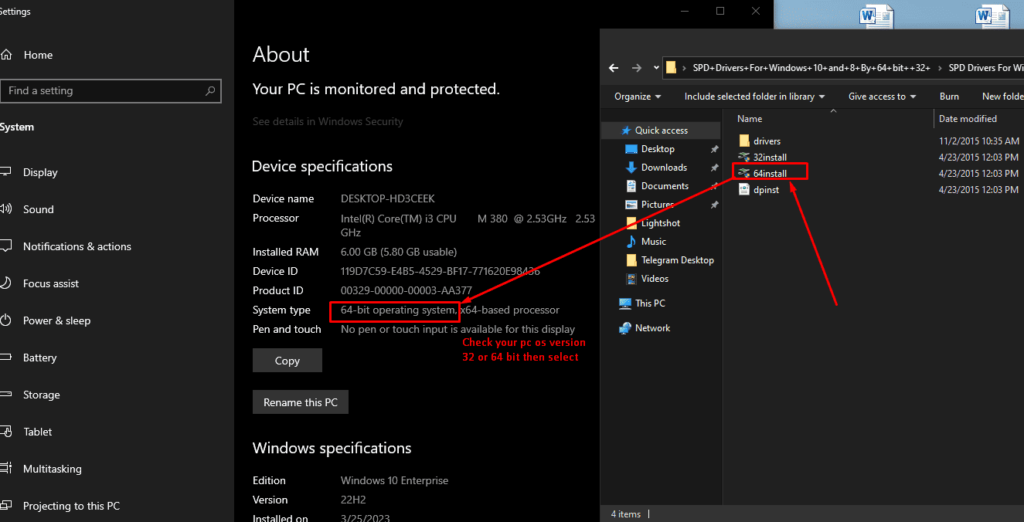
Step 3: Install the driver on your computer.
After extracting the files, you need to install on your computer. To do this, open the extracted folder and run the “64install” file. Follow the on-screen instructions to complete the installation process.
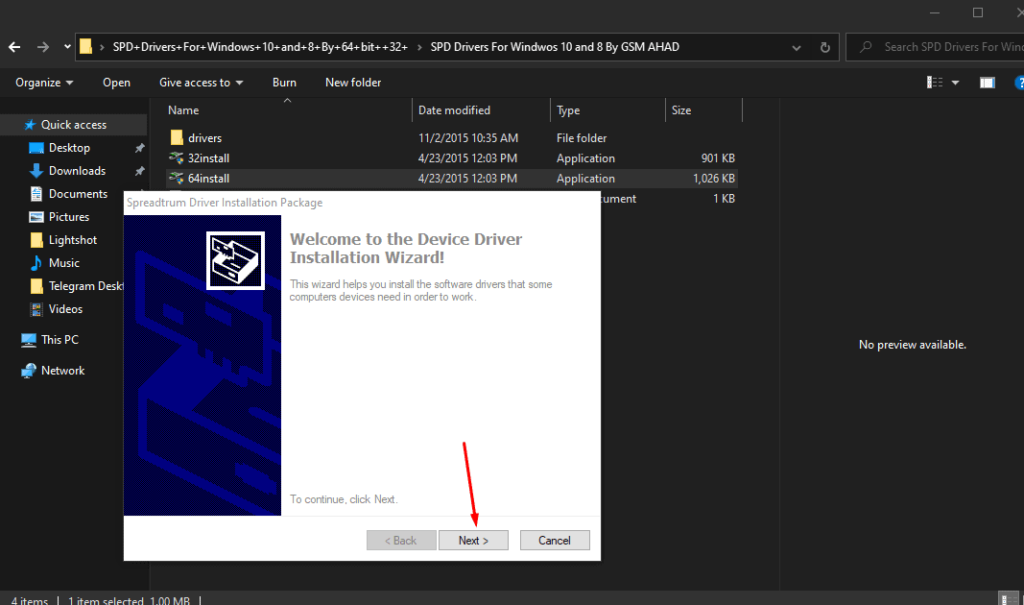
Step 4: Connect your SPD Android device to your computer.
Now that you have installed the SPD Android driver on your computer, it’s time to connect your device. Use a USB cable to connect your SPD Android device to your computer. Make sure that your device is turned on and unlocked.
Step 5: After finish the installation is complete, restart your PC to apply the changes.
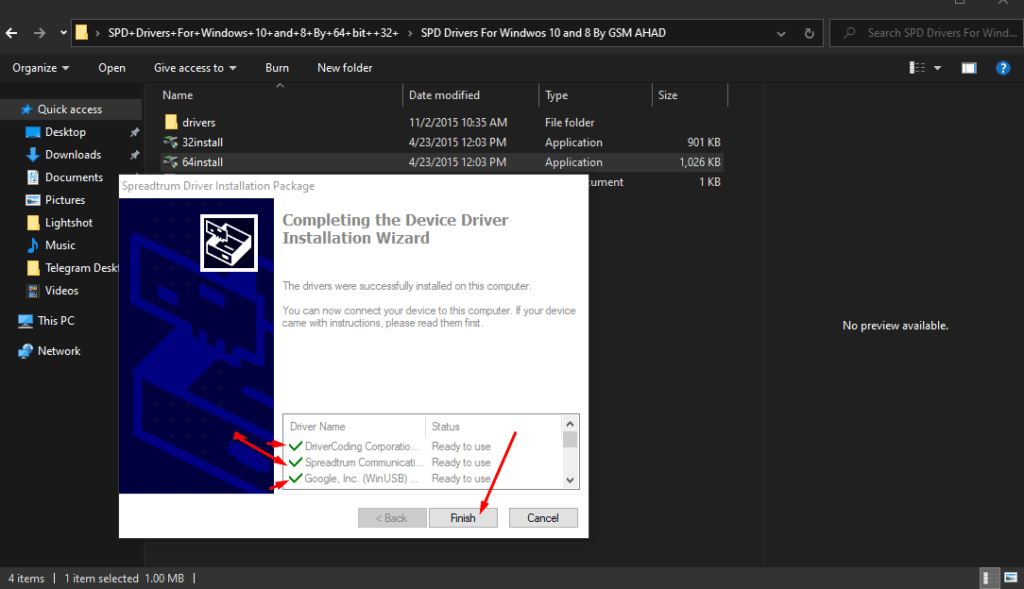
step 6: Verify the driver installation.
Once you have connected your device, your computer should automatically recognize it and install the necessary drivers. To verify that the Spreadthurmdriver installation was successful, open the Device Manager on your computer and look for your SPD Android device. If you see it listed without any warning signs or errors, then the driver installation was successful.
How to Download
Download the Android USB Driver here
Download SCI Android Driver here
Conclusion
The SPD Android driver is an essential component for connecting your Spreadthurm-based Android device to your PC. Installing the driver is a straightforward process that can be completed in a few minutes.